Hướng dẫn Ray-ban Meta, Knowledgebase
Ray-Ban Meta Buying Guide: How to Choose the Right Model
Jul
Ray-Ban Meta glasses are smart glasses co-developed by Meta and Ray-Ban, starting from the iconic Wayfarer prototype and now expanded into other frame styles such as Headliner, Skyler, and even the premium Ray-Ban Meta Display. With so many choices in generation (Gen 1, Gen 2), frame style, frame color, lens type, and size, many people feel overwhelmed trying to decide which model to get. DroidShop’s website carries the full lineup of genuine Ray-Ban Meta glasses, and this article will help you pick the right model for your needs and face shape.
See Also
- A Beginner’s Guide to Ray-Ban Meta
- How to Choose the Right Ray-Ban Meta Size
- How to Enable Meta AI
- How to Set Up Ray-Ban Meta
Quick guide – which Ray-Ban Meta model should you choose?
- Limited budget, just want the core experience → Ray-Ban Meta Gen 1
- Record video often, need all-day battery life → Ray-Ban Meta Gen 2
- Gen 1 and Gen 2 look and feel the same. Gen 2 doubles the battery life and upgrades to a 3K camera
- Common face shape, want a timeless look that’s easy to style, a safe pick for both men and women → Wayfarer
- Want a retro vibe, small or slim face, for both men and women → Headliner
- Prefer a more feminine, elegant look → Skyler
- Want a built-in display → Ray-Ban Meta Display
- Need prescription lenses → any model works, as all frames support prescription lens swaps. Choose the cheapest shiny black or matte black frame, since price mainly depends on the lens, not the frame
Ray-Ban Meta Generations
There’s a lot of confusion between “Ray-Ban Meta 2” and “Ray-Ban Meta Gen 2.” DroidShop will clear this up by walking through the actual release history of this camera-equipped glasses line.
- Ray-Ban Stories was the first generation, released in 2021
- Ray-Ban Meta was the next generation, released in 2023. This is commonly referred to as “Ray-Ban Meta 2” to distinguish it from the older generation (which had a different name)
- Ray-Ban Meta Gen 2 is the latest generation, released in September 2025. This is the official name given by the manufacturer.
See also the Ray-Ban Meta Gen 2 specs and Ray-Ban Meta Gen 1 vs Gen 2 comparison
Both Gen 1 and Gen 2 come in multiple frame styles: Wayfarer, Headliner, and Skyler. See the next section to find the frame style that best suits your face.
Choosing a Frame Style: Wayfarer, Headliner, or Skyler?
This choice matters just as much as picking a generation, since each frame style suits a different face shape and personal style.
Wayfarer
The classic square frame — the original style Ray-Ban Meta is based on. It suits most face shapes and is easy to style, from casual to formal looks. It also has the widest range of colors and lens options.
Headliner
A rounder frame than Wayfarer, with a retro look. Suits smaller faces or anyone who wants a look different from the traditional square shape.
Skyler
A compact cat-eye frame with a more feminine feel, favored by many female customers for its elegant design.
If you want a built-in display right on the lens, DroidShop also carries the Ray-Ban Meta Display — the flagship model in the lineup. If you prefer a sportier look over a classic one, you might also consider Oakley Meta, which shares the same technology in a more athletic design.
Shiny Black or Matte Black Frame?
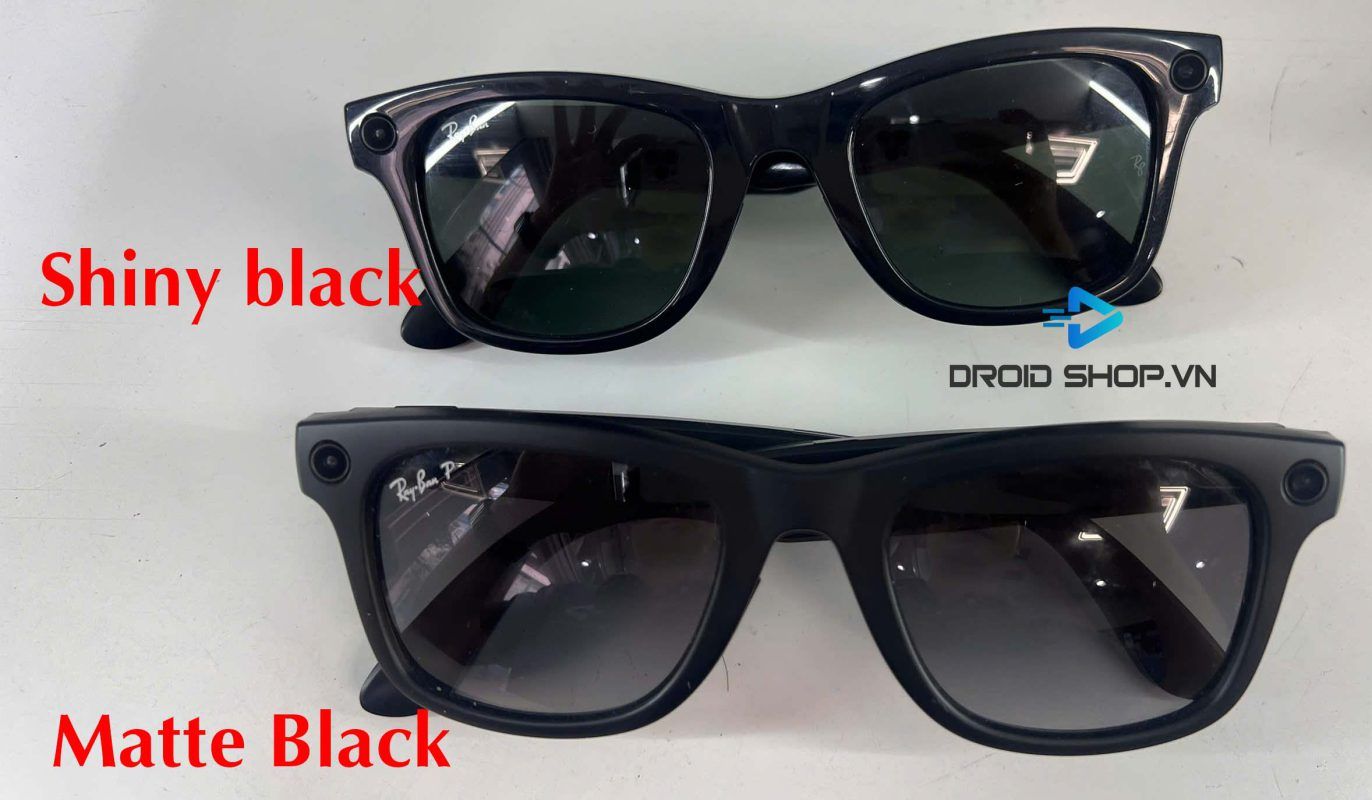
Ray-Ban Meta comes in two frame finishes:
- Shiny Black – glossy black
- Matte Black – matte black
Both finishes have identical quality, since they use the same materials and technology from Ray-Ban. The difference is purely aesthetic. Choosing between the two doesn’t affect the glasses’ specs or user experience in any way.
Shiny Black
The glossy black frame has the following pros and cons:
Pros:
- Classic, glossy, eye-catching look
- Easy to match with outfits
- Easy to clean
Cons:
- Shows fingerprints and minor scratches more easily than Matte Black
- Because it’s glossy, it may reflect light slightly at certain angles (minor)
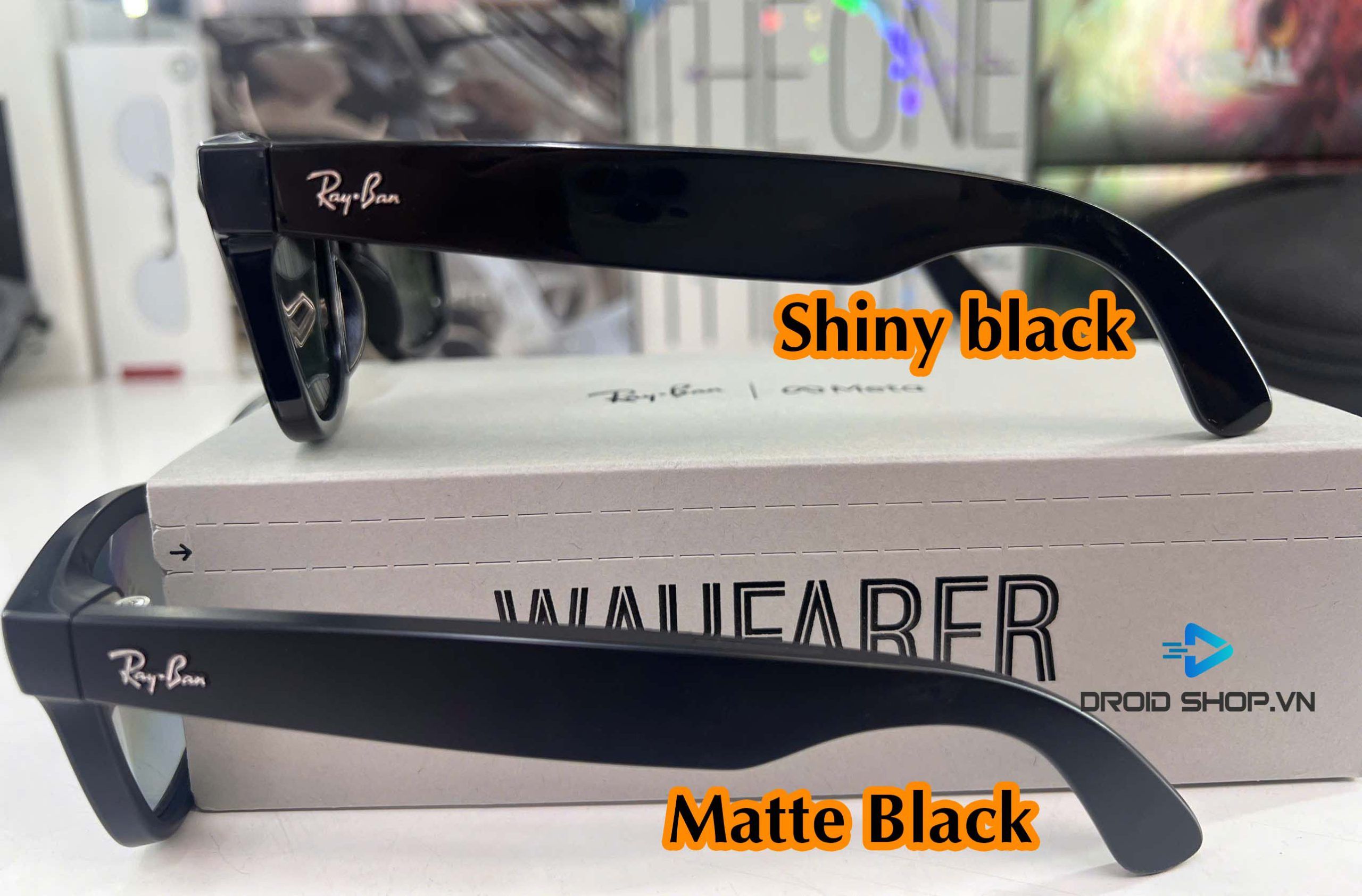
Matte Black
Matte Black is a standard matte-finish black frame.
Pros:
- Modern, bold look
- Fewer fingerprints, better scratch resistance than Shiny
- No light reflection, gives off a sleeker, more rugged feel 🙂
Cons:
- Harder to clean if it picks up heavier grime
Ray-Ban Meta Lens Options
All Ray-Ban Meta lenses are premium lenses with UV protection (level and coverage vary by lens color).
Classic Lenses
The classic lens comes in two options:
- Clear
- G15 – Green
Shiny Black / Clear
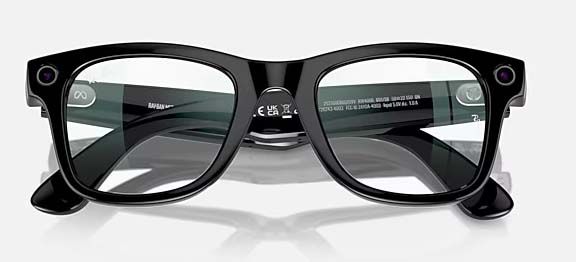
This pairing — glossy black frame (Shiny Black) with clear lenses — is well suited for everyday wear.
The lenses offer UV protection, making them ideal for anyone who wants to wear Ray-Ban Meta daily while making full use of its smart features.
This is also the most affordable lens option, a good pick if you plan to swap in prescription lenses afterward.
Shiny Black / Green
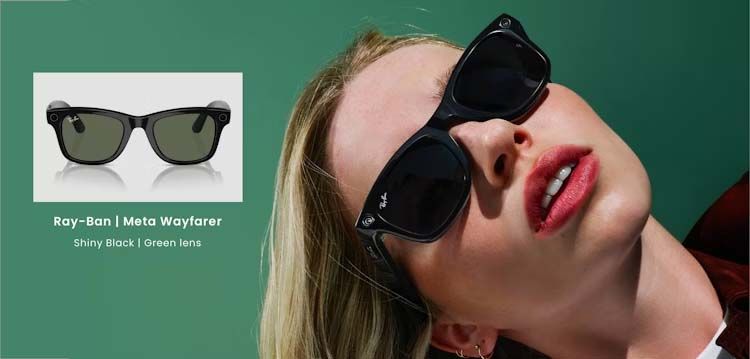
This is a sunglass-style lens with a green (slightly dark) tint, well suited for outdoor activities.
Great for picnics, driving, and similar outdoor use.
Polarized Lenses

The polarized lens is currently available in Matte Black / Graphite (matte black frame with Graphite lens).
This lens has a deep grey tint, close to charcoal.
Besides UV protection, this lens can cut up to 99% of glare from reflective surfaces such as water and asphalt, improving clarity and reducing eye strain.
Because of the polarized feature, this lens costs more than the classic lens.
Transitions (Photochromic) Lenses
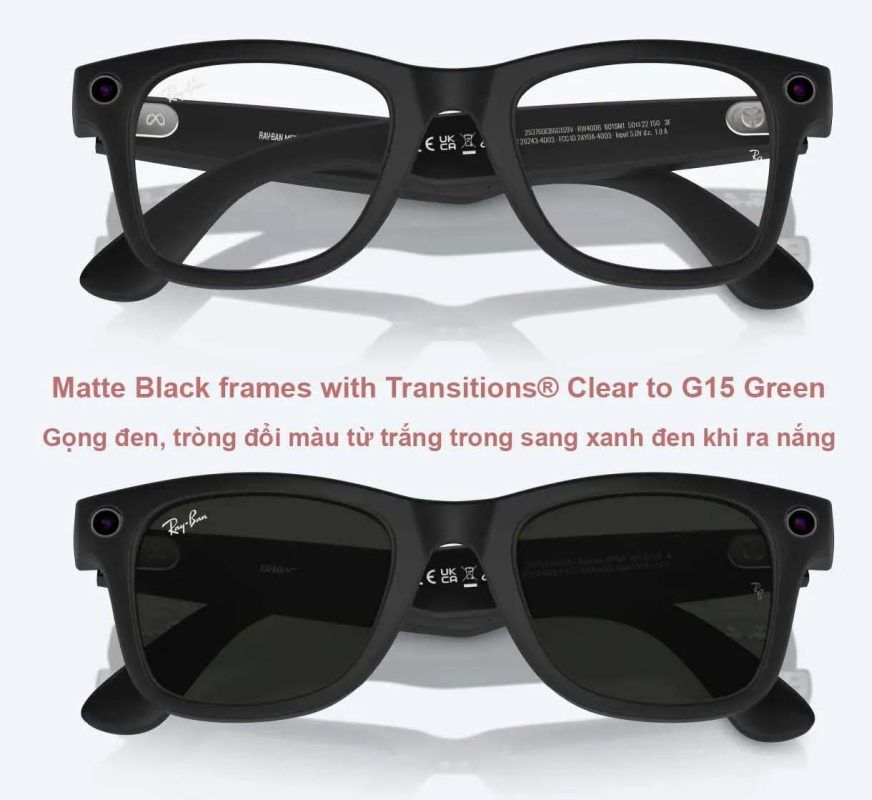
The photochromic option comes in Matte Black frame with a lens that shifts from Clear to G-Green.
This is Ray-Ban Meta’s top-tier lens, suited for any environment and time of day. The lens starts out clear like the Clear lens and darkens once you’re outdoors, depending on the UV level in the sunlight. It’s not necessarily strong sunlight that triggers a deeper tint — the more UV present, the darker the lens gets, adjusting to suit your eyes in different environments.
Choosing a Ray-Ban Meta Size
Ray-Ban Meta is available in 2 sizes:
- Size S: 50mm
- Size L: 53mm
| Size | Lens Width | Best Suited For |
| Size S (Small) | 50mm | Women, men with a small or oval face — the most common face shape among Asian users |
| Size L (Large) | 53mm | Men with a larger, round, or square face — more common among Western users |
DroidShop has a detailed guide to choosing the right Ray-Ban Meta size you can check out.
Can You Swap in Prescription Lenses on Ray-Ban Meta?
At DroidShop, you can swap in prescription lenses while still keeping your warranty valid.
Warranty conditions to note:
- Lens removal and installation must be done by a professional service
- The frame must not be scratched during the process
- Keep the original lenses so they can be swapped back if a warranty claim is needed
- Ray-Ban Meta is not water-resistant, so avoid wearing it in the rain
You can also check out the Ray-Ban Meta setup guide and watch the intro video to learn more about the product’s features.
Does Meta AI Work on Ray-Ban Meta?
Meta AI (including voice translation and voice Q&A) is not officially supported by Meta in Vietnam at this time. You can still use all the core voice commands of the glasses — taking photos, recording video, playing music, and answering phone calls — since these features work independently of Meta AI and are unaffected.
Note: if you come across guides claiming to enable Meta AI in Vietnam by switching regions or using a VPN, this is an unofficial workaround that may be unstable and is not covered by DroidShop’s support or warranty.